How Relational Databases Work Under the Hood
Most developers interact with a relational database through an ORM, occasionally drop into raw SQL, and otherwise treat the whole thing as a magic box that stores and retrieves data. That works fine until it doesn’t - until a query that should be fast isn’t, or an update that should be simple locks half the application. At that point, knowing what’s happening inside matters.
This is not a tutorial on writing SQL. It’s an explanation of what the database is actually doing while you wait.
The journey of a query
You write this:
SELECT name, email FROM users WHERE status = 'active' AND created_at > '2025-01-01';Before a single row is returned, the database executes a small pipeline of its own.
Parsing - The query string is parsed into an internal representation - an abstract syntax tree. This is where syntax errors are caught. The database isn’t reading English; it’s validating that what you sent is a valid statement in the SQL dialect it supports.
Analysis and rewriting - The parsed tree gets checked against the schema. Do those columns exist? Does the table exist? Do you have permission? The result is a normalized, validated query tree. Some databases apply rewrites at this stage - simplifying expressions, unfolding views, pushing filters closer to the scan.
Planning - This is the interesting part. The query planner takes your query and decides how to execute it. It enumerates possible execution plans - different join orders, different index choices, different scan strategies - estimates the cost of each based on statistics about your data, and picks the cheapest one.
The plan is what actually runs. The SQL you wrote is just a description of what you want. The planner decides how to get it.
Execution - The chosen plan runs, pulling data from storage, applying filters, sorting if needed, and streaming rows back to you.
How storage actually works
Your table is not a list. Internally, rows are stored in fixed-size pages - typically 8KB in PostgreSQL. A page is the atomic unit of I/O: the database reads and writes one page at a time, even if you only want one row from it.
Each page has a header with metadata, then a series of row pointers (called the line pointer array), and then the actual row data packed from the other end. A row’s physical location in a table is identified by a tuple ID: (page_number, slot_number).
When a table has no index on the column you’re filtering by, the database does a sequential scan - it reads every page in the table, every row in each page, and applies the filter. For a small table, that’s fine. For a table with 50 million rows, that’s a lot of disk reads.
This is why indexes exist - and why they matter so much.
The query planner and statistics
The planner can only make good decisions if it has accurate statistics about your data. Most databases maintain a statistics catalog that tracks things like: how many rows are in each table, how many distinct values a column has, what the value distribution looks like (histograms).
In PostgreSQL, these statistics live in pg_statistic and are updated by the ANALYZE command - which runs automatically in the background via autovacuum. When the statistics are stale or wrong, the planner makes bad estimates, which leads to bad plans, which leads to slow queries.
You can see the plan a query will use with EXPLAIN:
EXPLAIN SELECT name, email FROM users WHERE status = 'active';And you can see the plan plus actual runtime statistics with EXPLAIN ANALYZE:
EXPLAIN ANALYZE SELECT name, email FROM users WHERE status = 'active';The output shows you the type of scan (sequential, index, bitmap), the estimated vs actual row counts, and the cost in abstract units. When the estimated rows and actual rows are wildly different, that’s a clue the planner is working with bad statistics.
Joins under the hood
When you join two tables, the database has three main strategies to choose from:
Nested loop join - For each row in the outer table, scan the inner table for matches. Simple, but quadratic for large datasets. It works well when one side is small or the inner side has an index.
Hash join - Build a hash table in memory from the smaller table, then probe it with each row from the larger table. Two passes, linear time. Requires memory for the hash table; if it doesn’t fit, the database spills to disk.
Merge join - Sort both sides on the join key, then merge them in a single pass. Efficient if both sides are already sorted (from an index scan, for example), expensive if they aren’t.
The planner picks based on estimated table sizes, available indexes, and available memory. Understanding these strategies helps explain why a query gets slow as data grows - the strategy that worked at 10,000 rows may not be the one the planner would choose at 10 million, and the transition isn’t always smooth.
Transactions and the buffer cache
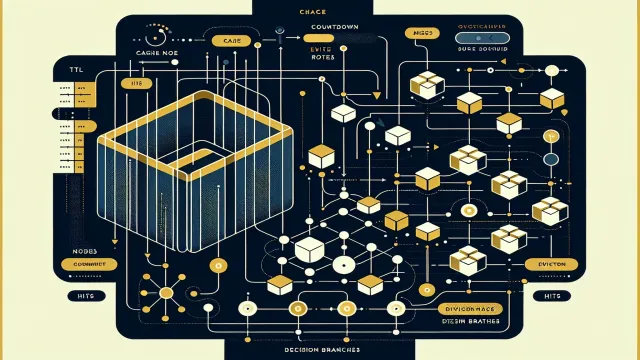
The database doesn’t read from disk on every query. It maintains a buffer pool - an in-memory cache of recently accessed pages. When you read a row, the database checks if the page is already in the buffer pool. If it is, no disk I/O. If it isn’t, the page is loaded from disk and placed in the pool.
This is why a query that’s slow the first time is often faster the second time - the pages it needed are now warm in the cache.
Writes are similarly buffered. When you update a row, the change is made to the in-memory page first. The database writes a record to the write-ahead log (WAL) before the change is considered durable - this is how the database survives crashes. If the database goes down after writing the WAL entry but before flushing the modified page to disk, it can replay the WAL on startup to reconstruct the change.
This is what fsync is protecting: the guarantee that WAL entries make it to durable storage before the database considers a transaction committed.
MVCC: how reads and writes don’t block each other
One of the more elegant things about modern databases like PostgreSQL is that readers don’t block writers and writers don’t block readers. This is made possible by multiversion concurrency control (MVCC).
When you update a row, the database doesn’t overwrite the old version. It creates a new version of the row and marks the old one as expired. Each transaction sees a consistent snapshot of the database as it was at the moment the transaction started - it can’t see uncommitted changes from other transactions, and it doesn’t block them.
This is why PostgreSQL needs VACUUM: to clean up the dead row versions that accumulate over time. Rows that no older transaction can see are eventually reclaimed. Without vacuum, the table grows indefinitely with old row versions - this is called table bloat.
What this means in practice
You don’t need to understand every corner of the storage engine to write good SQL. But a few things follow directly from what’s described here:
Filters applied early reduce the work downstream. The planner usually handles this, but complex queries or views can sometimes push filters too late - worth checking with EXPLAIN.
Column selection matters when tables are wide. Fetching 40 columns when you need 3 means pulling more data from each page.
Sequential scans aren’t always wrong. For a small table, or when you’re touching most of the rows anyway, a sequential scan is often faster than an index scan. The planner knows this.
Vacuuming matters. On a write-heavy table, dead row accumulation can slow scans significantly. Tuning autovacuum aggressiveness is a real operational concern.
Stale statistics cause bad plans. If a query suddenly gets slow after a large data change, running ANALYZE on the affected table is a reasonable first step.
The database is doing real work on your behalf. Understanding what that work is makes it much easier to help it.