JavaScript Event Loop: Visual and Concrete
JavaScript runs in a single thread. There is one call stack, and only one thing executes at a time. Yet a JavaScript program can make an HTTP request, wait for a timer, respond to a click, and process a file upload - all without freezing.
The mechanism that makes this work is the event loop. It’s one of the most important concepts in JavaScript, and one of the most frequently explained poorly. This is the concrete version.
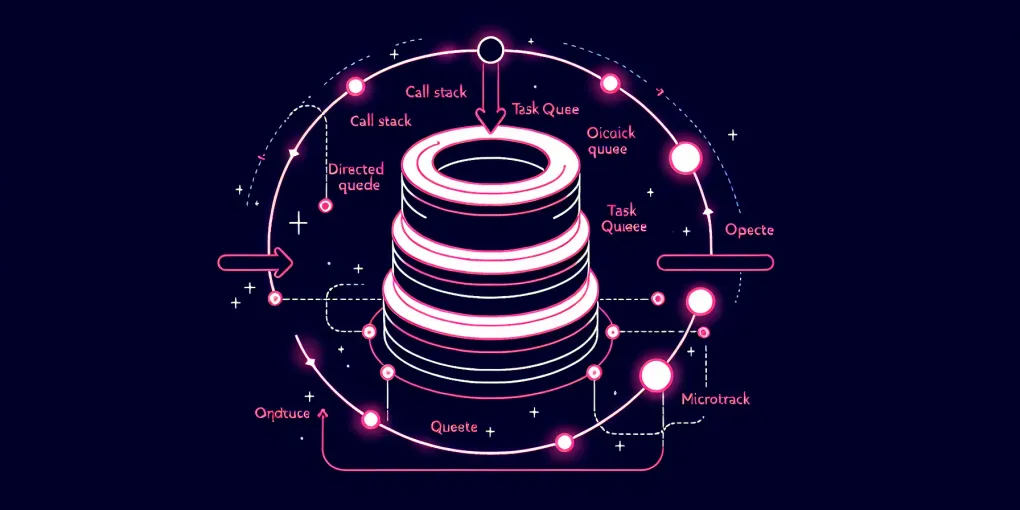
The pieces
There are four components to understand:
The call stack - where function execution happens. When you call a function, it’s pushed onto the stack. When it returns, it’s popped. The stack is synchronous and LIFO. One thing runs at a time.
Web APIs (or Node.js APIs) - the environment outside of JavaScript. setTimeout, fetch, DOM event listeners - these are not JavaScript. When you call setTimeout(fn, 1000), the timer is handled by the browser’s timer API. The JavaScript thread is immediately free to continue.
The task queue (also called the macrotask queue or callback queue) - where callbacks from Web APIs land when their operation completes. A setTimeout callback, a click event handler, a setInterval callback - all land here.
The microtask queue - where Promise callbacks (.then, .catch, async function continuations) land. Also queueMicrotask(). This queue has higher priority than the task queue.
The event loop, precisely
The event loop runs this algorithm, continuously:
- Execute the current task (or, on the first turn, run the script)
- Drain the microtask queue completely - run all microtasks until the queue is empty (including microtasks added by microtasks)
- Render if needed (browser only; happens at ~60fps)
- Take the next task from the task queue and go to step 1
That’s it. The key insight: microtasks are fully drained after every task, before the next task starts and before any render. Tasks run one at a time with microtask draining in between.
Walking through an example
console.log('1');

setTimeout(() => console.log('2'), 0);

Promise.resolve()
  .then(() => console.log('3'))
  .then(() => console.log('4'));

console.log('5');
Step through this:
console.log('1')runs synchronously. Call stack:[log]→ empty. Output:1setTimeout(fn, 0)calls the browser’s timer API. The callback is scheduled. JavaScript continues immediately.Promise.resolve().then(...)-Promise.resolve()creates an already-resolved Promise..then(fn)addsfnto the microtask queue. The chained.thenwill be added later when the first one runs.console.log('5')runs synchronously. Output:5- The synchronous script is done. The call stack is empty.
- Microtask drain begins. First microtask:
() => console.log('3')runs. Output:3. This also resolves the chained Promise, adding() => console.log('4')to the microtask queue. - Second microtask:
() => console.log('4')runs. Output:4. - Microtask queue is empty.
- Task queue checked. The
setTimeoutcallback is waiting. It runs:() => console.log('2'). Output:2.
Final output: 1, 5, 3, 4, 2.
The common surprise: setTimeout(fn, 0) doesn’t mean “run immediately after this line.” It means “put this in the task queue after the current task and all microtasks are done.” A timeout of 0 is not 0ms - it’s “as soon as possible, but after everything else.”
Long tasks and the UI thread
In a browser, the event loop’s rendering step happens after each task. If a task takes 500ms to complete - a heavy computation, a poorly optimized loop - the browser can’t render during that time. The page freezes. Scroll, click, input - none of it responds.
This is why the rule exists: don’t block the main thread. Any synchronous work over ~50ms is perceivable as jank.
If you have heavy computation, the options are:
- Break it into chunks with
setTimeout(fn, 0)between iterations, yielding to the event loop between chunks - Move it to a Web Worker, which runs in a separate thread with no access to the DOM
- Use
requestIdleCallbackto run it when the browser has spare time
Promises vs setTimeout ordering
The rule is simple: Promise callbacks (microtasks) always run before the next setTimeout callback (task), even if both are already queued.
setTimeout(() => console.log('task'), 0);
Promise.resolve().then(() => console.log('microtask'));

// Output:
// microtask
// task
This has a subtle implication: a chain of Promise continuations can starve the task queue. If each microtask schedules another microtask, the browser never gets to render. In practice this is rare for normal async code, but it can happen with recursive Promise chains.
async/await in the event loop
An async function runs synchronously up to the first await. At await, it suspends and the continuation (everything after the await) is queued as a microtask when the awaited Promise resolves.
async function demo() {
  console.log('A');
  await Promise.resolve();
  console.log('B');
}

console.log('before');
demo();
console.log('after');

// Output:
// before
// A
// after
// B
demo() starts synchronously, logs A, hits await, and suspends. Control returns to the caller. after is logged synchronously. Then the microtask queue is drained: B is logged.
Node.js additions
Node adds two more queues beyond what the browser has: process.nextTick and the I/O callback queue. process.nextTick callbacks run before other microtasks - even before Promise callbacks - which is a source of subtle ordering bugs. When in doubt, prefer queueMicrotask() or Promise.resolve().then() over process.nextTick.
Node’s event loop has additional phases (timers, I/O callbacks, idle, poll, check, close callbacks) that handle the different types of async operations in Node’s runtime. The fundamental model - single thread, non-blocking, queued callbacks - is the same.
The event loop is why JavaScript can do what it does with one thread. Understanding it means understanding why await doesn’t block, why Promise callbacks run before timeouts, why UI freezes during heavy computation, and why the output of async code isn’t always in the order it’s written. Once the model is clear, the behavior stops being surprising.